Step by step
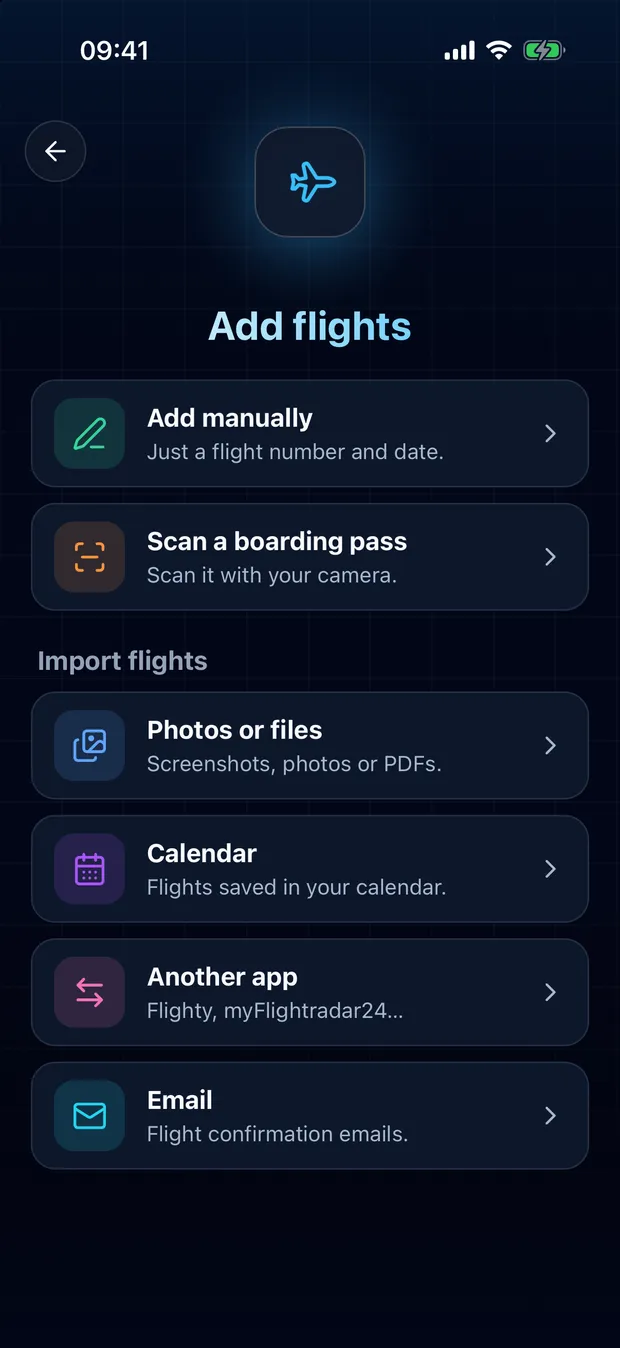
Tap the scan button, then Email
You don't even need an account: your personal address works right away, and it moves to your account if you sign in later.
Copy your personal address
It looks like import+k7f3m9xh@flightlog.live. It belongs to you alone.
Forward your confirmations to it
From Gmail, Outlook, iCloud or any other inbox. Your flights then appear in your logbook, ready to add.
- Booking confirmations and e-tickets from airlines and travel agencies work best, in any language, including attached PDF tickets.
- Nothing is added to your logbook without you: you review the flights first.
- If your address ever leaks, change it in the app: the old one stops working right away.
Your privacy
We read the email only to find your flights, then delete it. Your name and booking reference are never kept.
Tips

Forward automatically from Gmail
Set it up once, and every booking confirmation reaches FlightLog on its own.

Forward automatically from Outlook
One rule in Outlook, and your booking confirmations reach FlightLog on their own.

Forward automatically from iCloud Mail
A few rules in iCloud Mail, and your booking confirmations reach FlightLog on their own.
Questions
No. You get a personal address right away. If you sign in later, the address and the flights already received move to your account.
Ready to bring your flights over?
FlightLog is free to start, on iPhone and Android.