What comes across
Flight number and airline
Date and local times
Departure and arrival airports
Aircraft type
Tail number
Cabin class
Reason for the flight
Notes
Export your data
Jetlog exports a CSV file.
1
Open Settings in Jetlog
Jetlog is self-hosted: open it in the browser, on your own server.
2
Click Export to CSV
Jetlog downloads a file called jetlog.csv.
3
Send the file to your phone and pick it in FlightLog
AirDrop, email or a cloud drive all work, then choose the file in the FlightLog import screen.
- Jetlog stores airports as ICAO codes. FlightLog converts them automatically.
- Files from older Jetlog versions, with fewer columns, are read too.
Import into FlightLog
1
Open FlightLog, tap the scan button in the middle of the bottom bar, then Another app.
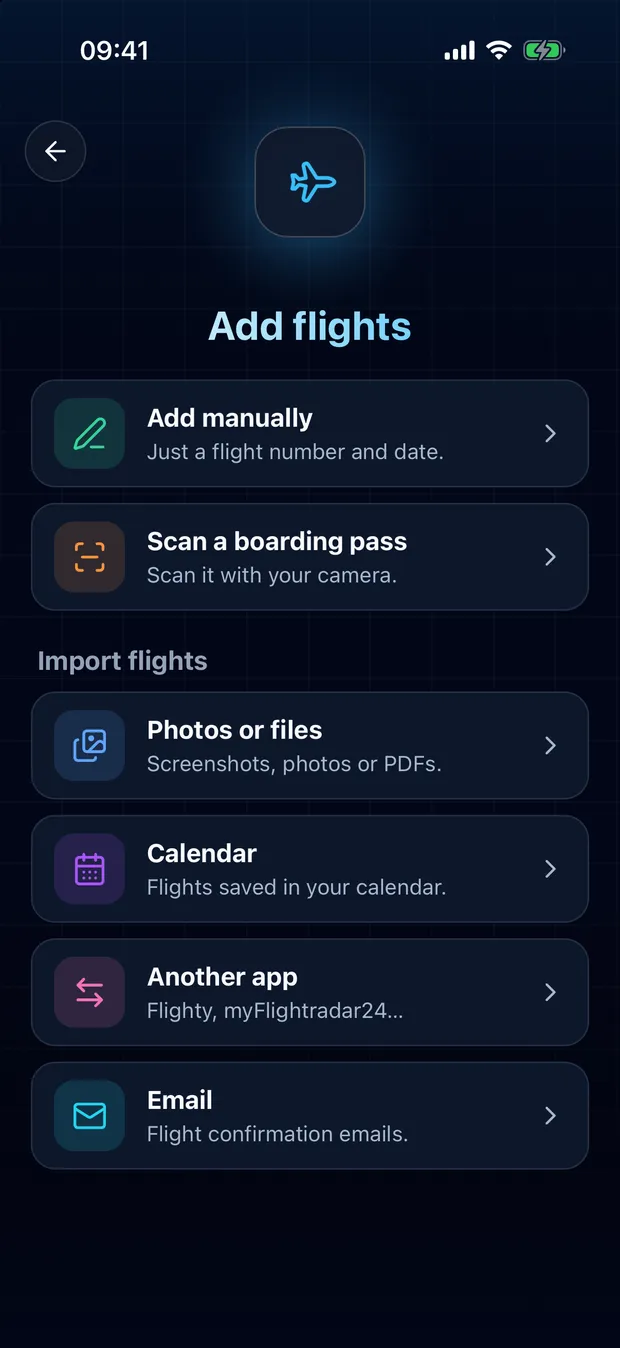
2
Open your app's card and tap Choose a file.
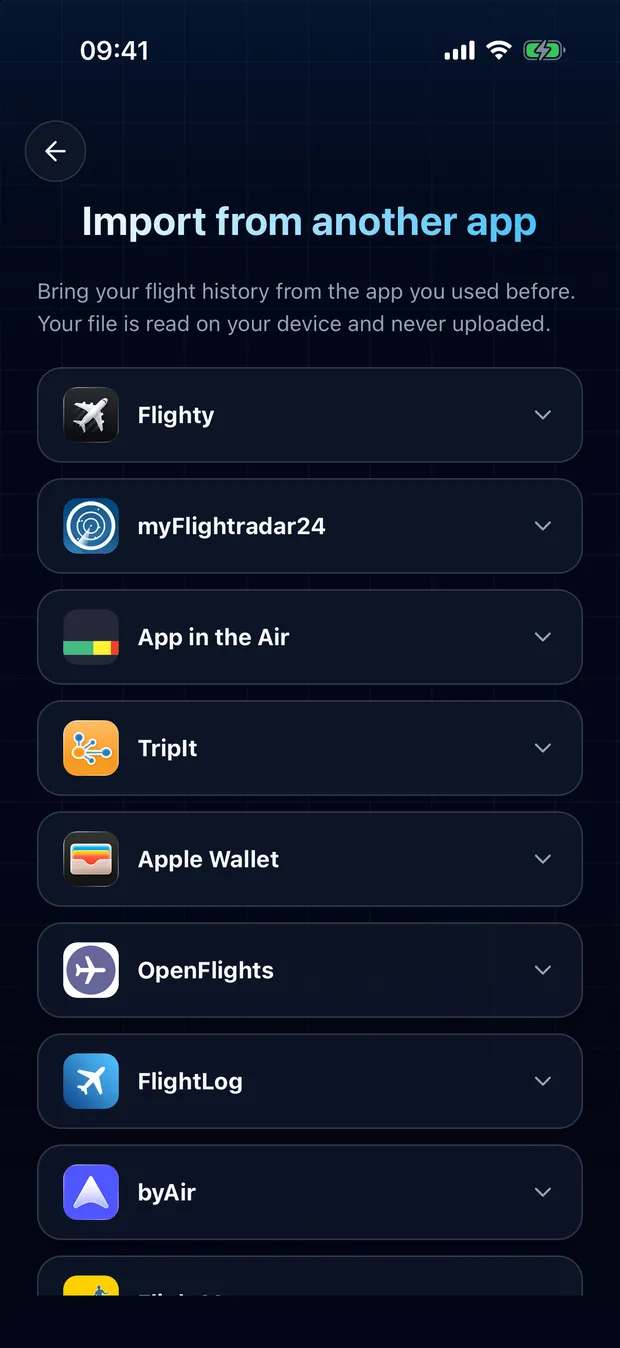
3
Review the detected flights and confirm. Duplicates are flagged, nothing is imported twice.
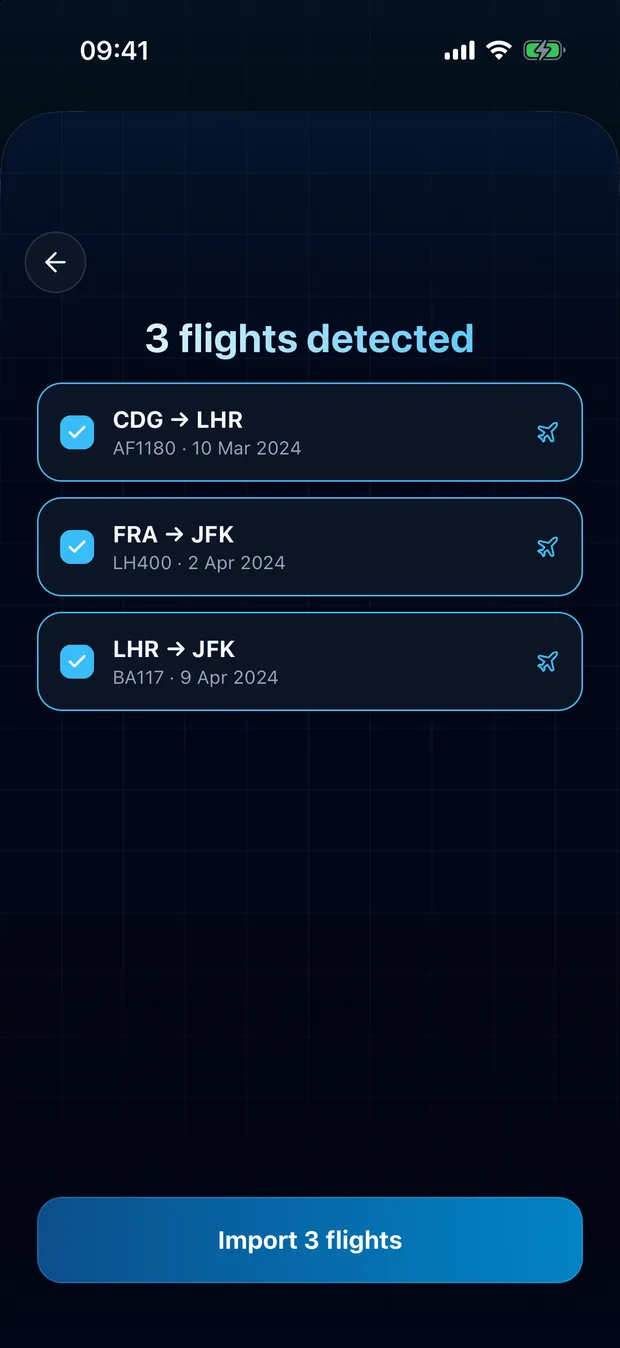
Your file stays on your device
FlightLog reads the file locally on your phone. The file itself is never uploaded anywhere.
Questions
No. FlightLog compares each row with your journal and flags anything already there, unchecked by default.
Ready to bring your flights over?
FlightLog is free to start, on iPhone and Android.