Step by step
1
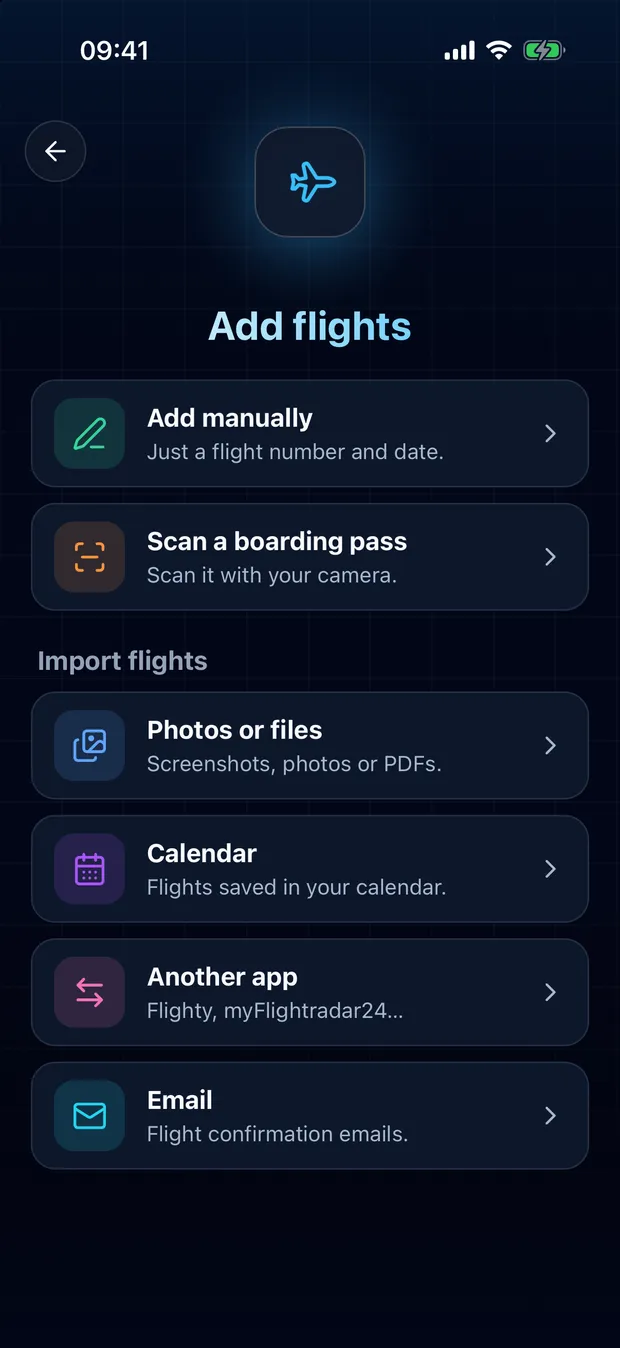
Tap the scan button, then Calendar
The scan button sits in the middle of the bottom bar.
2
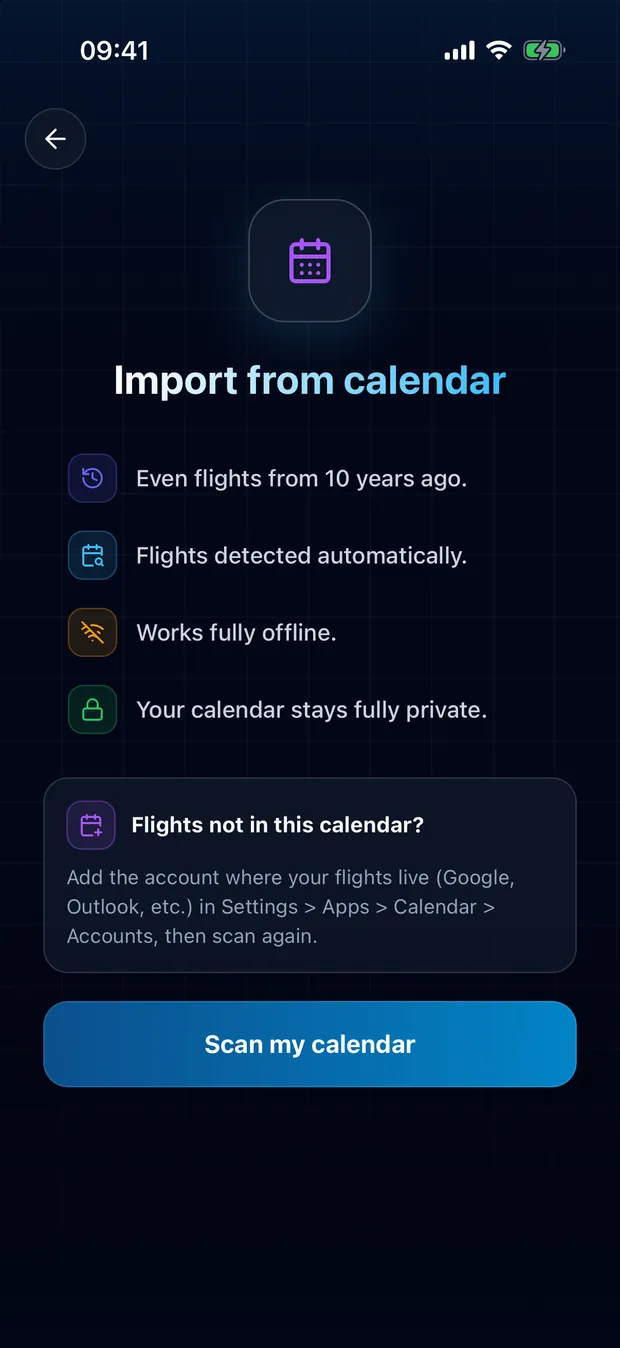
Allow access and start the scan
FlightLog asks once for access to your calendar, then looks through your events for flights.
3
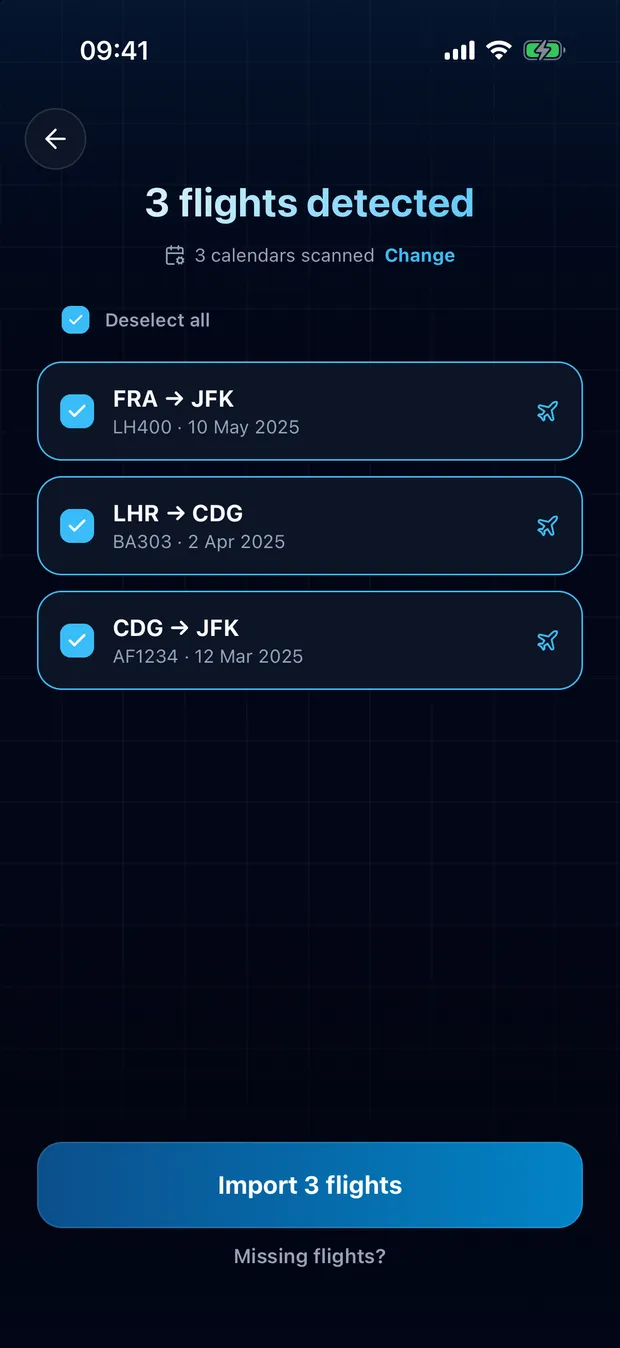
Check the flights found, then import
Each flight shows its route and date. Untick anything that is not yours: flights already in your logbook are flagged.
- Any calendar on your phone works: iCloud, Google, Outlook, or a subscribed calendar such as TripIt.
- Meetings, hotels and appointments are ignored. Only events that describe a flight are proposed.
- When a detail is unclear, FlightLog tells you, so you decide.
Your privacy
Your calendar is read on your phone. Nothing from it is sent to a server.
Questions
No. Flights already in your logbook are flagged and left unchecked, so nothing is added twice.
Ready to bring your flights over?
FlightLog is free to start, on iPhone and Android.